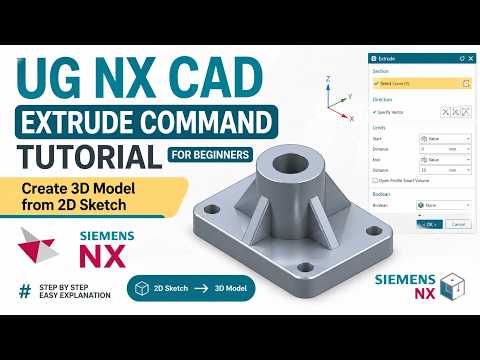
Siemens NX is widely recognized as one of the most powerful and versatile tools in the engineering world today. Whether you are a student just starting your journey or a professional looking to sharpen your skills, understanding how to transition from a 2D sketch to a 3D model is a vital foundational skill. This tutorial focuses on the Extrude Command, the absolute cornerstone of solid modeling within this industry-leading CNC CAD CAM software.
What is the Extrude Command?
The Extrude command is arguably the most frequently used tool in Siemens NX. In simple terms, it takes a 2D profile (a sketch) and "stretches" it along a specified vector to create a three-dimensional volume. This process is the starting point for almost every mechanical part, ranging from simple mounting brackets to the complex internal components of aerospace engines.
Turning Sketches into Solid Models
Before you can extrude, you need a high-quality 2D sketch. It is a best practice to ensure your sketch is fully constrained and closed; any gaps in the geometry can lead to errors or unexpected results during the extrusion process. Once your sketch is ready, you can find the "Extrude" icon under the Home tab in the modeling environment.
In the Extrude dialog box, one of the most useful features of modern CNC CAD CAM software like Siemens NX is the "Selection Intent" menu. Using options like "Region Boundary Curves" allows you to quickly select enclosed areas within a complex sketch rather than clicking every individual line, significantly speeding up your design workflow.
Adjusting Parameters for Precision
After selecting your profile, you must define the "Limits." You have several options: * Distance: Enter a specific numerical value for the depth. * Symmetric Value: Extrude equally in both directions from the sketch plane. * Until Selected: Extend the extrusion until it meets another face or surface.
Furthermore, Siemens NX allows you to add a "Draft" angle directly within the Extrude command. This is incredibly useful for creating parts destined for injection molding or casting, where a taper is required for part ejection.
Why Mastering NX Matters
Mastering these fundamental commands is essential because Siemens NX is more than just a basic drawing tool. It is a comprehensive CNC CAD CAM software suite that integrates design, simulation, and manufacturing into a single ecosystem. By learning how to extrude correctly and efficiently, you are building the technical foundation necessary to move into advanced assemblies, motion simulation, and eventually, generating toolpaths for CNC machining.
Conclusion
The Extrude command might seem simple at first glance, but its versatility is unmatched. By mastering the various settings—such as Boolean operations to add or subtract material from existing bodies—you can create complex geometries with ease. Practice your 2D sketching, experiment with different limit options, and soon, building intricate 3D models will become second nature.

No comments:
Post a Comment