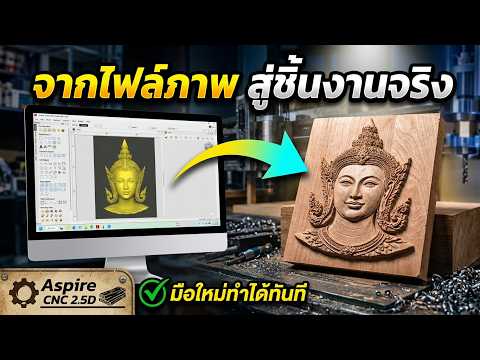
Stepping into the world of CNC machining can feel like entering a complex maze of technical jargon and difficult-to-master tools. For many beginners, the jump from simple 2D cutting to more advanced 3D modeling seems like a massive hurdle. However, there is a perfect middle ground that offers stunning visual results without the steep learning curve: 2.5D design.
In this guide, we’ll explore how to simplify your workflow and create professional-grade projects using the right tools and techniques.
What is 2.5D CNC Machining?
Unlike standard 2D cutting (which focuses on simple shapes and outlines) or full 3D modeling (which involves complex surfaces and continuous curves), 2.5D machining allows you to add depth and texture to your work. Think of it as "profile carving"—you are essentially creating layers of depth, such as pocketing, chamfers, and V-carvings, to give your project a three-dimensional look while keeping the design process straightforward.
Choosing the Right CNC Software Application
The key to success in 2.5D work lies in the tools you use. For beginners and hobbyists looking to achieve professional results, Vectric Aspire stands out as a leading CNC software application. Its intuitive interface allows you to transform simple vector drawings into beautiful carvings with just a few clicks.
Using a dedicated CNC software application like Aspire simplifies the toolpath generation process. Instead of manually calculating depths and offsets, the software provides visual previews that show exactly how your material will look after the bit touches the wood. This "what you see is what you get" approach reduces errors and saves valuable material.
Simple Steps for Beginners
To start your first 2.5D project, follow these basic steps: 1. Material Setup: Define your board size and thickness within the software. 2. Vector Design: Import or draw the vectors you wish to carve. 3. Toolpath Selection: Choose between "V-Carve" for sharp details or "Pocketing" for flat-bottomed depths. 4. Preview and Export: Always run the 3D simulation to check for errors before exporting your G-code.
Expert Support for Your CNC Journey
Learning a new CNC software application is always easier with a mentor. If you are looking for personalized advice, technical support, or tips on how to maximize your CNC machine’s potential, expert help is available. You can reach out to Pongchai Prasanmit via Facebook or Line (ID: prasanmit88) for direct guidance on mastering Aspire and improving your machining skills.
By mastering the basics of 2.5D, you unlock a world of creative possibilities, from intricate signage to custom furniture components. Start simple, practice often, and let your creativity take shape!

No comments:
Post a Comment