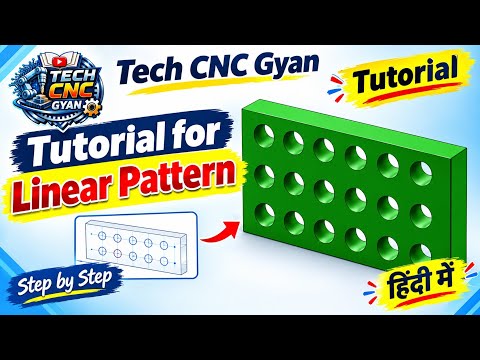
Designing complex mechanical components efficiently is a crucial skill for modern engineers and machinists. If you want to speed up your 3D modeling workflow, welcome to this comprehensive CNC CAD tutorial on mastering the Linear Pattern command in SolidWorks.
Instead of manually creating repetitive features—such as bolt holes, cooling fins, or structural grates—the Linear Pattern tool allows you to duplicate features, faces, or bodies along a linear path in seconds.
What is the Linear Pattern Tool in SolidWorks?
The Linear Pattern tool creates multiple instances of a selected feature arranged uniformly along one or two linear directions. By using geometry repetition instead of drawing each entity from scratch, you save valuable design time, reduce overall file size, and maintain clean parametric control over your model.
Step-by-Step Guide to Applying Linear Patterns
- Select the Feature: Open your SolidWorks part file and select the feature you want to repeat (for example, a simple drilled hole or extruded cut).
- Activate the Command: Navigate to the Features tab on the CommandManager toolbar and select Linear Pattern.
- Set Direction 1: Click on a linear edge, axis, or linear dimension to define your primary direction. Enter the required distance between instances and the total count.
- Set Direction 2 (Optional): To create a two-dimensional grid layout, select a second direction edge. Set its spacing and instance count.
- Utilize "Instances to Skip": If your pattern requires open spaces or custom variations, expand the Instances to Skip tab and click on the specific instances you want to omit.
- Confirm: Click the green checkmark to complete the feature.
Why Linear Patterns Matter for CNC Machining
Precision and symmetry are paramount in manufacturing. Whether you are designing mounting plates, heat sinks, or custom enclosures, understanding proper linear patterning ensures that your 3D models translate seamlessly into toolpaths for CNC milling and drilling operations.
Integrating efficient patterning techniques into your workflow is essential, which is why following a practical CNC CAD tutorial helps bridge the gap between initial CAD concept and actual shop-floor production.
Conclusion
Mastering fundamental features like the Linear Pattern tool is the fastest way to transition from a novice to a proficient designer. Practice this workflow on your next model, and follow along with our next CNC CAD tutorial to keep elevating your 3D CAD design capabilities!

No comments:
Post a Comment