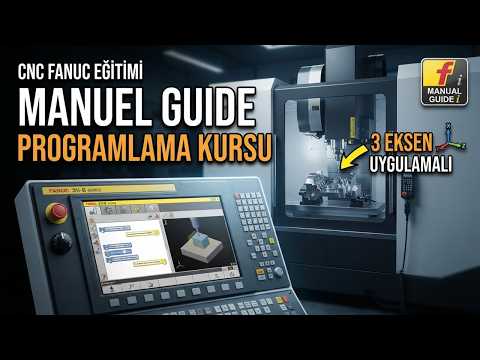
In the fast-paced world of modern manufacturing, efficiency on the shop floor is paramount. While traditional G-code programming can be time-consuming and prone to human error, modern CNC controls offer powerful built-in solutions. Among these, Fanuc’s Manual Guide i stands out as a game-changer for 3-axis part programming, perfectly complementing advanced CAD/CAM software solutions.
What is Fanuc Manual Guide i?
Fanuc Manual Guide i is an intuitive, conversational programming interface designed to simplify part setup and machining operations directly on the machine control panel. Instead of writing endless lines of raw G-code or constantly relying on external workstations for minor tweaks, machinists can utilize interactive graphical icons, built-in machining cycles, and 3D simulation features to program 3-axis parts effortlessly.
Bridging Shop Floor Programming with CAD/CAM
While complex 3D surface geometries often require dedicated CAD/CAM software to generate high-precision toolpaths, many everyday 3-axis operations—such as pocket milling, drilling, facing, and profiling—can be programmed far more quickly right at the machine. Integrating Fanuc Manual Guide i into your facility creates a flexible hybrid workflow:
- Speed and Flexibility: Make instant adjustments to cutting parameters, tool feeds, or simple geometries without having to re-export code from your offline program.
- Visual Verification: Real-time 3D toolpath simulation drastically reduces collision risks before the tool ever touches the raw material.
- Reduced Downtime: Eliminates tedious manual coding and shortens machine setup times for quick-turn jobs.
Key Steps for Practical 3-Axis Part Setup
Programming a 3-axis CNC unit using Manual Guide i follows a logical, user-friendly progression:
- Define the Blank: Input workpiece dimensions and zero-point offsets directly into the visual interface.
- Select Machining Cycles: Choose pre-programmed cycles for facing, contouring, or pocketing with interactive prompts.
- Set Tooling Parameters: Specify feed rates, spindle speeds, and tool geometry for each operational step.
- Simulate and Verify: Run a visual graphics test to confirm tool movement and check for interference.
Final Thoughts
Mastering modern 3-axis machining requires a smart balance between hands-on control and automated digital tools. By combining the conversational speed of Fanuc Manual Guide i with the complex processing power of robust CAD/CAM systems, machinists can dramatically boost productivity, minimize error rates, and deliver high-precision components faster than ever.

No comments:
Post a Comment