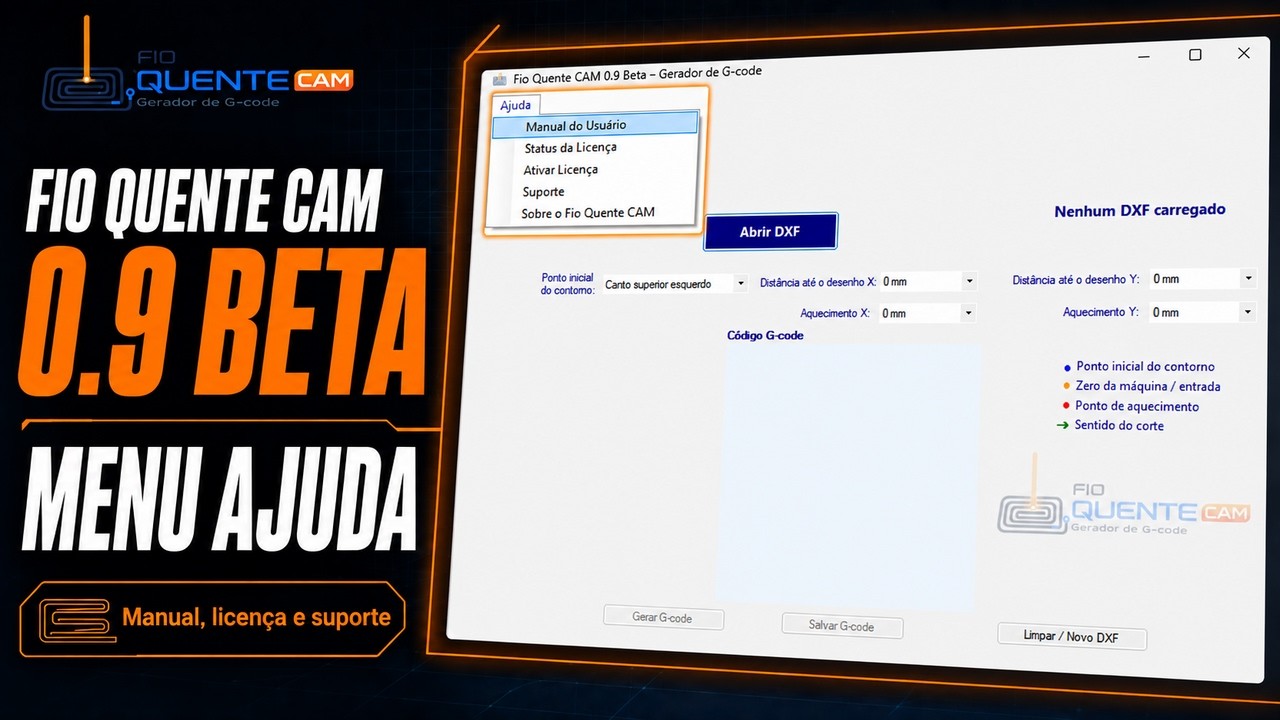
Mastering Your CAM Software: A Guide to the Fio Quente CAM 0.9 Beta Help Menu
This article provides an in-depth exploration of CAM software, covering foundational concepts, practical applications, and engineering insights.
Navigating new manufacturing tools can be challenging, but understanding built-in support features can drastically lower the learning curve. In a recent presentation, engineer Osmar Garcia from Fio Quente Tecnologia introduced the updated Help Menu in the Fio Quente CAM 0.9 Beta. This essential update ensures that operators and engineers can quickly access guidance while leveraging powerful CAM software for their cutting and machining workflows.
Why the Help Menu Matters in Modern Manufacturing
When adopting new digital toolsets, having immediate access to documentation and guides directly within the interface is crucial. As CNC machinery and cutting technology evolve, operating CAM software efficiently relies heavily on user-friendly support systems. Fio Quente CAM 0.9 Beta addresses this need by streamlining how users find technical information, troubleshoot minor setup issues, and optimize parameters without interrupting their production process.
Key Highlights of the Fio Quente CAM 0.9 Beta Help Section
In his walkthrough, Osmar Garcia highlights how the Help Menu serves as a central hub for users navigating the beta release. Key advantages include:
- Direct Access to Documentation: Find clear instructions on software features and parameters right when you need them.
- Beta Feedback Channels: Easily report bugs, request features, and communicate directly with the development team at Fio Quente Tecnologia.
- Smooth Onboarding: Help new operators get up to speed with the user interface and cutting logic without needing external training manuals.
Streamlining Workflows with Smart Software Solutions
Whether you are managing specialized cutting projects or general CNC tasks, taking the time to explore support menus pays off in long-term productivity. Using well-supported CAM software allows manufacturers to reduce downtime, minimize setup errors, and get the most out of every project.
By continually refining features like the Help Menu, Fio Quente Tecnologia demonstrates its commitment to creating user-focused solutions designed for real-world application. Be sure to explore the 0.9 Beta release and take advantage of all the built-in guidance to elevate your operational efficiency today.
Visual Insights & Illustrations


No comments:
Post a Comment