Master Absolute G-Code Milling Using Advanced CNC Software
This article provides an in-depth exploration of CNC software, covering foundational concepts, practical applications, and engineering insights.
Computer Numerical Control (CNC) milling is the backbone of modern precision manufacturing. For machinists, students, and engineers, mastering G-code programming is essential for converting 3D designs into physical components. One of the most fundamental concepts in G-code programming is absolute positioning, typically designated by the G90 code.
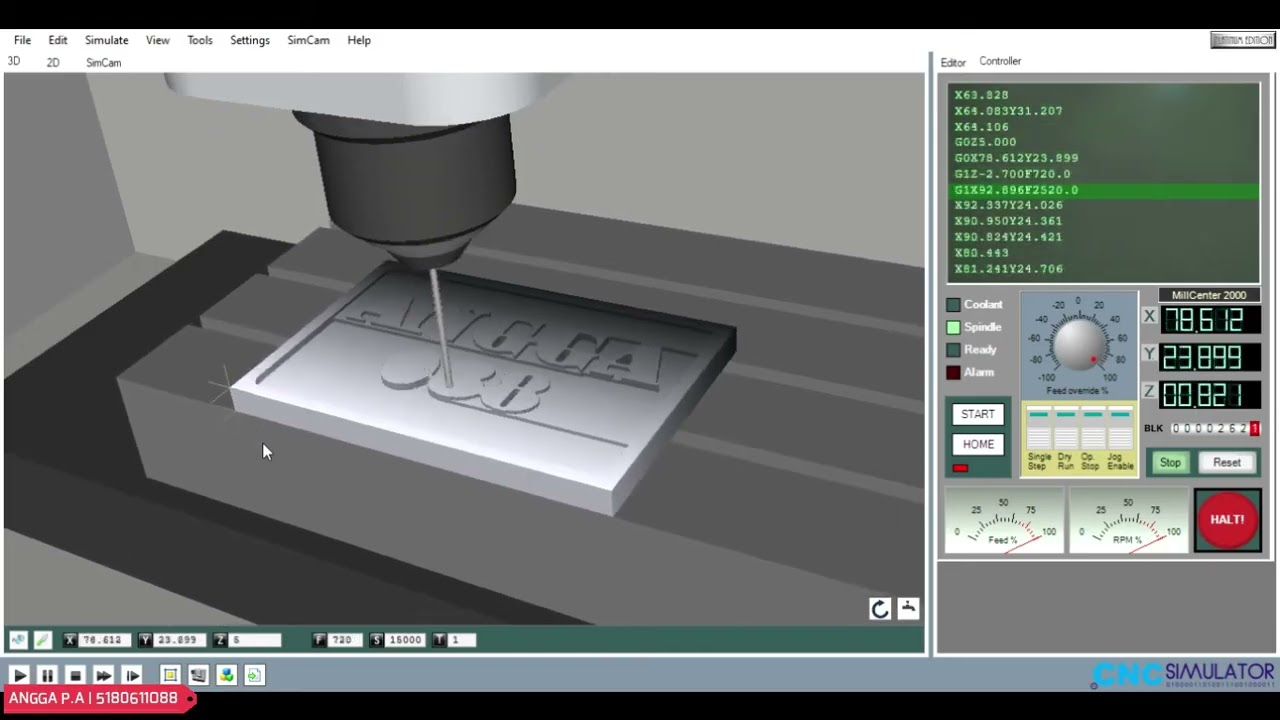
Before running a new program on a physical machine, testing your code in a virtual environment using modern CNC software is a critical step to ensure accuracy and safety.
Understanding Absolute Positioning (G90)
In CNC milling, absolute positioning means that every coordinate movement (X, Y, and Z) is referenced from a single, fixed origin point—often referred to as the Work Coordinate System (WCS) or part zero.
Unlike incremental positioning (G91), which calculates the next move relative to the tool's current position, absolute programming reduces cumulative errors. If you specify G90 G01 X50 Y25 F150, the tool moves directly to X=50 and Y=25 relative to your predefined zero point, making the program easier to read, debug, and modify.
Simulating Your Program Safely
Writing G-code manually requires extreme attention to detail. A single incorrect coordinate or missing decimal point can lead to costly tool breakage or machine crashes. Utilizing feature-rich CNC software like CNC Simulator Pro allows you to visualize the entire milling process in 3D before cutting actual metal or wood.
Simulation tools help you:
* Verify Toolpaths: Ensure the cutter follows the intended geometry precisely.
* Detect Collisions: Catch rapid moves (G00) plunging directly into stock material.
* Optimize Feed Rates: Fine-tune spindle speeds and feed rates for maximum productivity.
By practicing on reliable CNC software, operators gain hands-on experience in setting tool offsets, defining stock dimensions, and verifying absolute G-code routines completely risk-free.
Basic Steps for Absolute G-Code Milling
- Establish Part Zero: Define your workpiece origin (X0, Y0, Z0) in the simulator.
- Set Initial Commands: Begin with setup codes (e.g.,
G21for millimeters,G90for absolute mode,G17for the XY plane). - Select Tools and Speeds: Call your milling tool (e.g.,
T1 M06) and set spindle speed (S1500 M03). - Execute Cuts: Use linear interpolation (
G01) and circular interpolation (G02/G03) to craft the desired profile. - Retract and End: Retract the Z-axis safely (
G00 Z50) and stop the program (M30).
Whether you are a beginner learning the ropes or an experienced machinist verifying a complex job, combining absolute G-code programming with simulation tools guarantees faster setup times and flawless machining results.
Visual Insights & Illustrations


No comments:
Post a Comment