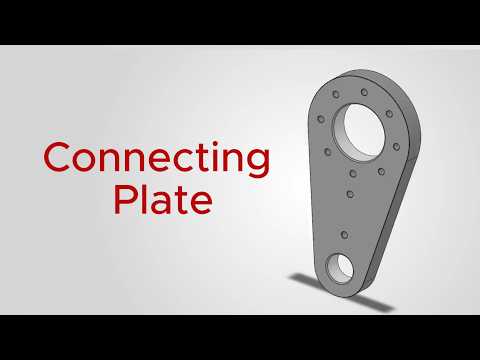
Are you looking to sharpen your 3D modeling skills and build a robust engineering portfolio? Welcome to Model #022 of the 100 CAD Model Challenge! In this installment, we take a deep dive into designing a classic Connecting Plate using SolidWorks.
Whether you are a mechanical engineering student or a practicing designer, mastering these fundamental components is essential for modern CAD/CAM workflows. Connecting plates are critical structural elements used across automotive, aerospace, and industrial machinery applications to join separate mechanical parts together securely.
Understanding the Connecting Plate Design
The connecting plate model might look simple at first glance, but it tests your ability to translate 2D technical drawings into accurate 3D geometry. Key design aspects covered in this challenge include:
- Precision Sketching: Establishing exact dimensions, origin placement, and geometric constraints to ensure parametric stability.
- Feature Extrusions: Creating base solids efficiently without creating unnecessary feature tree complexity.
- Hole Patterns & Cutouts: Utilizing centerlines and relation tools to position mounting holes with high precision for alignment during assembly.
Enhancing Your CAD/CAM Skillset
Participating in structured daily design challenges is one of the fastest ways to improve speed, modeling accuracy, and design intent. Applying standard practices in SolidWorks ensures that your 3D models transition smoothly into real-world manufacturing stages. Advanced CAD/CAM software relies heavily on clean feature trees and precise parametric modeling to generate accurate toolpaths for CNC machining and fabrication.
Watch the Full Video Tutorial
Want to see how this model comes to life step by step? Check out the complete video tutorial to follow along with the exact dimensions and modeling workflow:
Watch the step-by-step guide here: https://youtu.be/2MEQc1eTnJ8
Keep practicing, challenge your modeling limits, and stay tuned for the next model in our 100 CAD Challenge series!


No comments:
Post a Comment