From 3D Printing to CNC Machining: How Modern CNC Software Makes It Easy
This article provides an in-depth exploration of CNC software, covering foundational concepts, practical applications, and engineering insights.
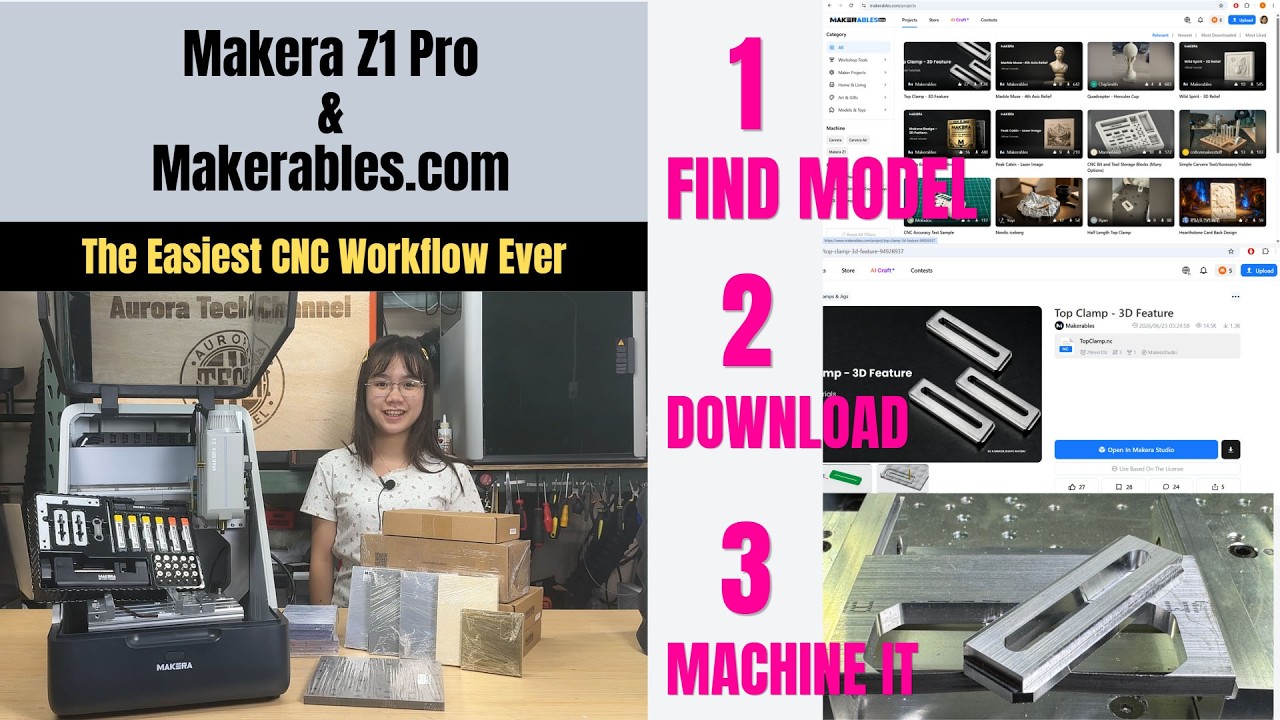
If you have been 3D printing for any length of time, you already know the joy of bringing digital models to life. However, additive manufacturing has its limits, especially when you need parts made from tough materials like aluminum, hardwood, or carbon fiber. That is where CNC machining comes in. While making the jump from additive to subtractive manufacturing used to feel intimidating, modern desktop machines like the Makera Z1 Pro have made the transition smoother than ever.
Breaking the Barrier Between 3D Printing and CNC
For 3D printing enthusiasts, the hardest part of adopting a desktop CNC router or mill is usually the software learning curve. In 3D printing, you simply load an STL file into a slicer, select a material profile, and click print. Traditional machining, on the other hand, historically required deep knowledge of G-code, manual tool setting, and complex CAD/CAM programming.
Fortunately, modern CNC software has revolutionized this entire workflow. Today's integrated control interfaces and maker ecosystems handle much of the technical heavy lifting behind the scenes. Built-in automation for material auto-leveling, origin setting, and tool probing allows 3D printer users to apply their existing digital design skills without getting bogged down by complicated machine setups.
Why the Transition Is Easier Than Ever
When moving into desktop CNC machining, the right software and hardware combination bridges the gap in three major ways:
- Familiar Digital Workflows: Just as 3D printing relies on intuitive slicer programs, user-friendly CNC software acts as a guided bridge between your 3D models and physical toolpaths, turning complex carving and milling operations into simple, step-by-step processes.
- Automated Machine Setup: Advanced desktop CNCs now feature automatic tool changing and precision probing, eliminating the manual calibration steps that once intimidated beginner machinists.
- Expanded Material Options: Instead of being restricted to plastic filaments, you can carve dense woods, brass, aluminum, acrylics, and PCB boards with incredible precision and structural strength.
Expand Your Maker Capabilities
Transitioning from 3D printing to CNC machining doesn't mean starting your maker journey from scratch. By leveraging powerful, beginner-friendly CNC software alongside smart desktop hardware like the Makera Z1 Pro, you can upgrade your workshop capabilities and start crafting durable, professional-grade parts with confidence.
Visual Insights & Illustrations


No comments:
Post a Comment