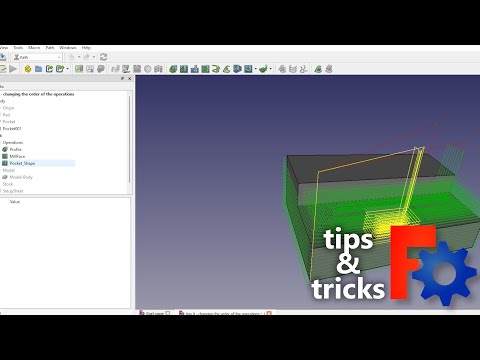
When setting up a new project in FreeCAD CAM, generating toolpaths is only half the battle. To achieve professional-grade results, you must understand how operation sequencing impacts the overall machining process. Applying sound CNC CAD CAM principles ensures that your toolpaths are not only efficient but also safe for both your workpiece and cutting tools.
Why Operation Sequencing Matters in FreeCAD CAM
In computer-aided manufacturing, the default order of operations generated by your software might not always be the most logical choice. Reordering your CNC operations allows you to maintain part rigidity, prevent burrs, and eliminate unnecessary rapid movements.
For instance, clearing out inner pockets before cutting the outer profile keeps the stock securely anchored to the machine bed for as long as possible. Ignoring these foundational CNC CAD CAM principles can result in stock chatter, broken bits, or inaccurate final dimensions.
How to Reorder Operations for Smarter Toolpaths
FreeCAD CAM makes adjusting your workflow simple and intuitive. By navigating the Job Tree, you can easily drag and drop operations or use sequence controls to reorder your cuts.
Here are a few practical rules of thumb to optimize your setup:
- Roughing First, Finishing Second: Always remove bulk material with heavier roughing passes before performing delicate finishing passes.
- Inside to Outside: Drill holes and clear interior features prior to severing the outer perimeter of your part.
- Minimize Tool Changes: Group operations that use the same end mill together to reduce overall cycle time.
Elevating Your Workflow for Cleaner Cuts
By taking control of your operation sequence, you transform chaotic toolpaths into streamlined, high-precision strategies. Integrating core CNC CAD CAM principles into your daily FreeCAD routine will consistently deliver smoother surface finishes, longer tool life, and significantly faster production times. Experiment with reordering your operations on your next job and see the difference in your final cuts!

No comments:
Post a Comment