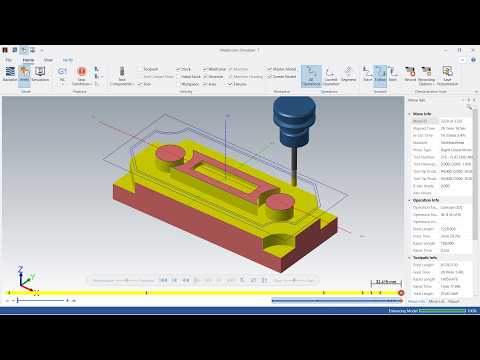
Computer-Aided Design (CAD) and Computer-Aided Manufacturing (CAM) have completely revolutionized modern component manufacturing. For machinists and programmers using advanced software like Mastercam, mastering toolpath strategies and software tricks is essential for achieving high precision and reducing machine downtime. Whether you are a beginner or looking to refine your programming workflow, exploring real-world CNC CAD CAM examples can significantly speed up your learning curve.
In this guide, we will break down essential steps and smart tricks in Mastercam to help you elevate your CNC milling efficiency and part quality.
Streamlining Your Setup Workflow
Before diving into toolpath generation, establishing a clean design environment is critical. Mastercam enables users to import complex 3D models or quickly sketch 2D geometry. The key to successful machining lies in disciplined stock setup, accurate origin positioning, and proper tool selection.
When analyzing functional CNC CAD CAM examples, you quickly realize that setting accurate program zero points and defining clear work coordinate systems (WCS) prevents costly tool collisions and material waste.
Essential Mastercam Tricks for Faster Milling
To maximize tool life and drastically reduce cycle times, keep these practical techniques in mind:
- Leverage Dynamic Motion: Traditional toolpaths often cause excessive tool wear due to full-width engagement. Utilizing Dynamic Motion technology maintains a constant chip load, allowing for higher cutting speeds and deeper axial passes.
- Optimize Step-Over Distances: Adjusting step-over percentages according to your end mill diameter ensures smooth surface finishes without overloading the machine spindle.
- Run Full 3D Verification: Never send raw code directly to the machine control. Always run stock simulations in Mastercam to verify tool movements, check fixture clearances, and eliminate gouging risks.
Achieving Superior Part Precision
Studying practical CNC CAD CAM examples demonstrates how subtle tweaks in lead-in/lead-out vectors, ramp angles, and feed rate adjustments yield dramatic improvements on the shop floor. By combining smart geometry preparation with optimized machining toolpaths, you can transition from simple tutorial parts to complex manufacturing projects with complete confidence.
Start applying these Mastercam strategies today to refine your CAD/CAM process and achieve flawless CNC milling results!

No comments:
Post a Comment